Key features
A short tour of what One Privacy does. Every feature has a deeper guide if you want more detail.
A banner that matches your brand
Your visitors see a banner that fits your website, not a generic pop-up.
Customize the colors, the wording, which buttons appear, and the languages it supports.
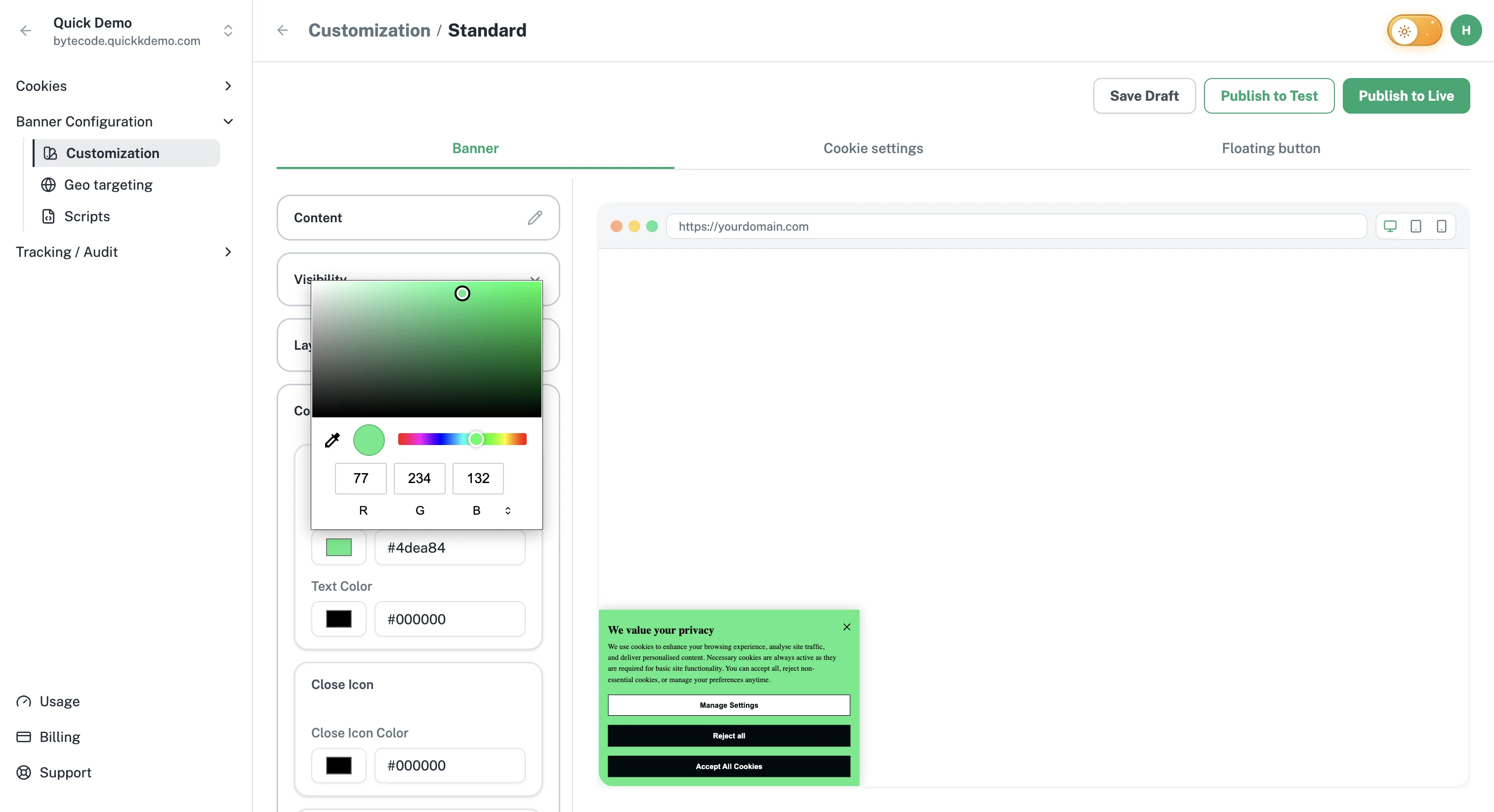
Open the banner customization guide.
A scanner that finds every tracker
One Privacy looks at your website and lists every cookie and tracker on it, where it came from, and who set it.
Run a scan whenever you want, or schedule it weekly or monthly so the list always stays current.
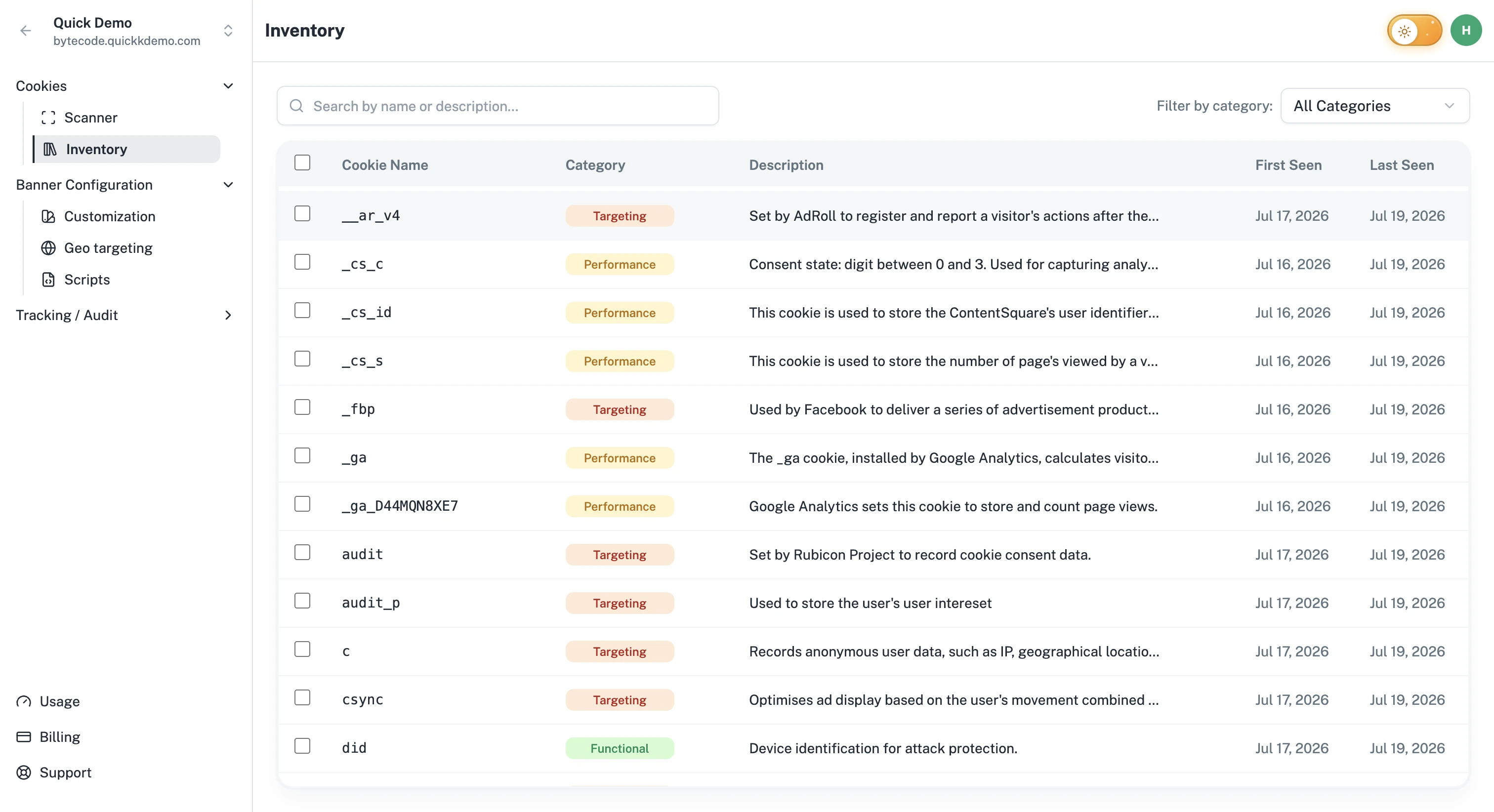
A clean cookie inventory
Everything the scanner finds lands in a single, tidy list. Add descriptions and group cookies into the right categories. Your banner uses this inventory to ask for the right consent.
Different banners for different regions
Visitors in Berlin and Texas live under different laws, so they should not see the same banner.
Once you set up your geo targeting rules in the dashboard, One Privacy picks the right banner for each visitor's region and shows it automatically.
Safe publishing in three stages
Banner changes flow through three stages, so the live experience never breaks by accident.
Draft. Make changes freely. Nothing is public yet.
Test. Push to a staging or development site to verify.
Live. Publish to your real website when everything looks right.
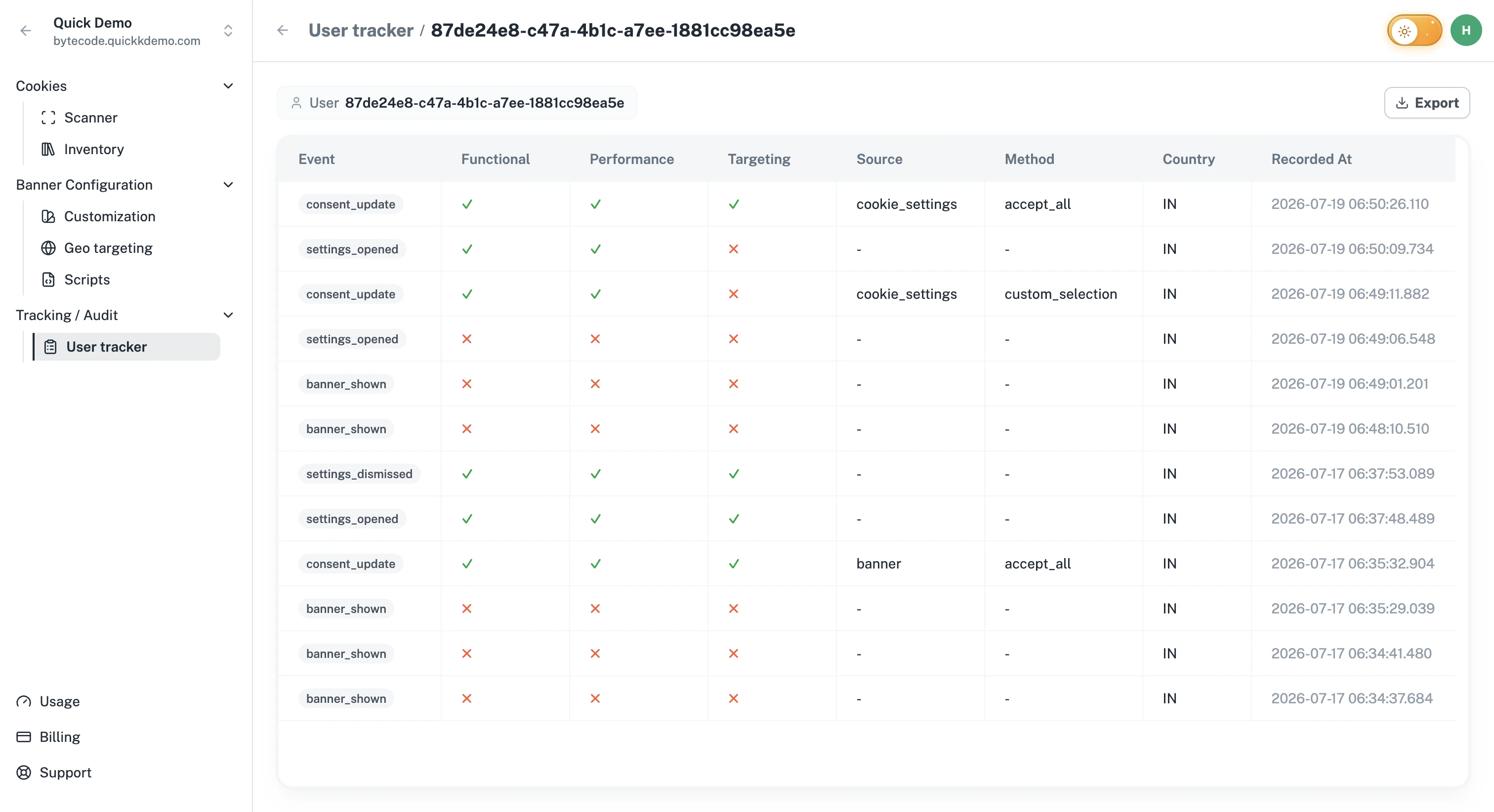
A record of every visitor's choice
Every Accept, Reject, and change of mind is saved. Search the records, open any one of them, or export the lot when an auditor asks.
Many websites, one place
If you run multiple websites, group them by client, brand, or business unit and switch between them in one click.
Team management
Invite your colleagues, give each person the right level of access, and stop sending screenshots back and forth.
Built for the laws you care about
One Privacy supports the regulations most businesses run into.
GDPR (Europe). CCPA and CPRA (California). DPDP Act (India). LGPD (Brazil). Google Consent Mode.