How the scanner works
The scanner is the easiest way to know what's actually running on your website. You give us a website, we visit every page we can find, and we hand back a clean list of every cookie and tracker we saw.
What it does
Visits your website the way a real visitor would, page by page.
Records every cookie and tracker each page sets.
Notes which page set each cookie and which third party owns it.
Combines results into a single, easy-to-read list.
When to run a scan
Right after you sign up, so you have a baseline of what's already on your site.
Whenever you launch a new feature, integration, or marketing tag.
On a recurring schedule, so new trackers don't slip in unnoticed. See Scheduled scans.
What you'll see
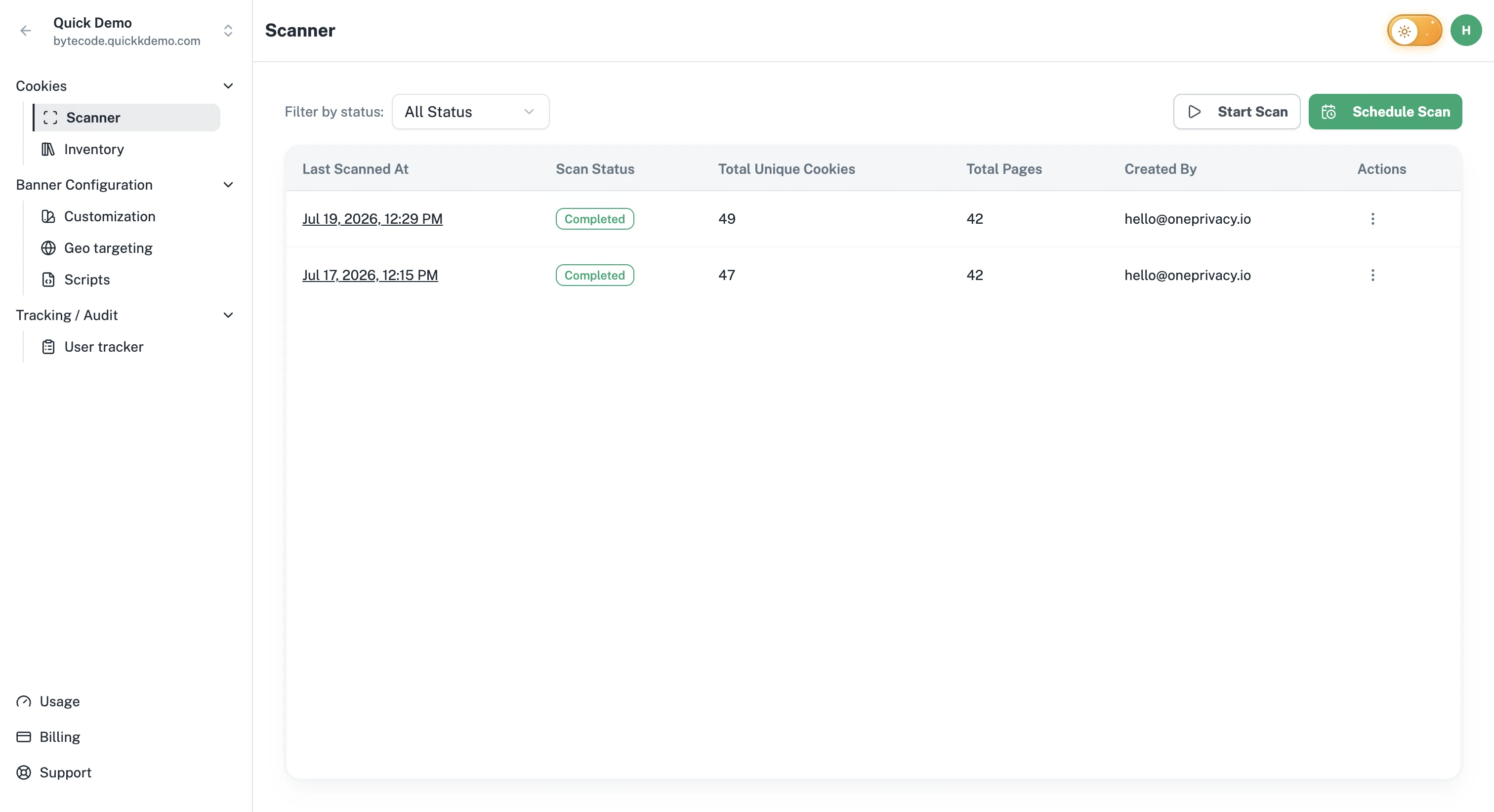
Every scan ends with a status:
In progress. The scan is still running.
Completed. All pages were visited and the results are ready.
Failed. Something went wrong before the scan could finish. You can start a new one.
Cancelled. Someone in your team stopped the scan before it finished.
A finished scan tells you the total unique cookies found, the total pages scanned, and who started the scan.
What it does not do
Scanning is read-only. We don't change anything on your website.
A scan looks at the public side of your website, the same pages a regular visitor can reach.