Consent audit overview
The Consent Audit is your evidence trail. Every time a visitor accepts, rejects, or updates their cookie preferences, One Privacy saves a record. You can search those records, open any one to see exactly what was agreed to, and export the result whenever an auditor or customer asks.
Why this matters
Most privacy laws (GDPR, CCPA, LGPD) require you to be able to prove that you collected valid consent. If a regulator asks how a visitor's analytics data was lawful to collect, you need to show the record.
One Privacy keeps that record automatically. You don't have to build anything.
Open the consent audit
Open your project. In the left sidebar, under Tracking / Audit, click User tracker.
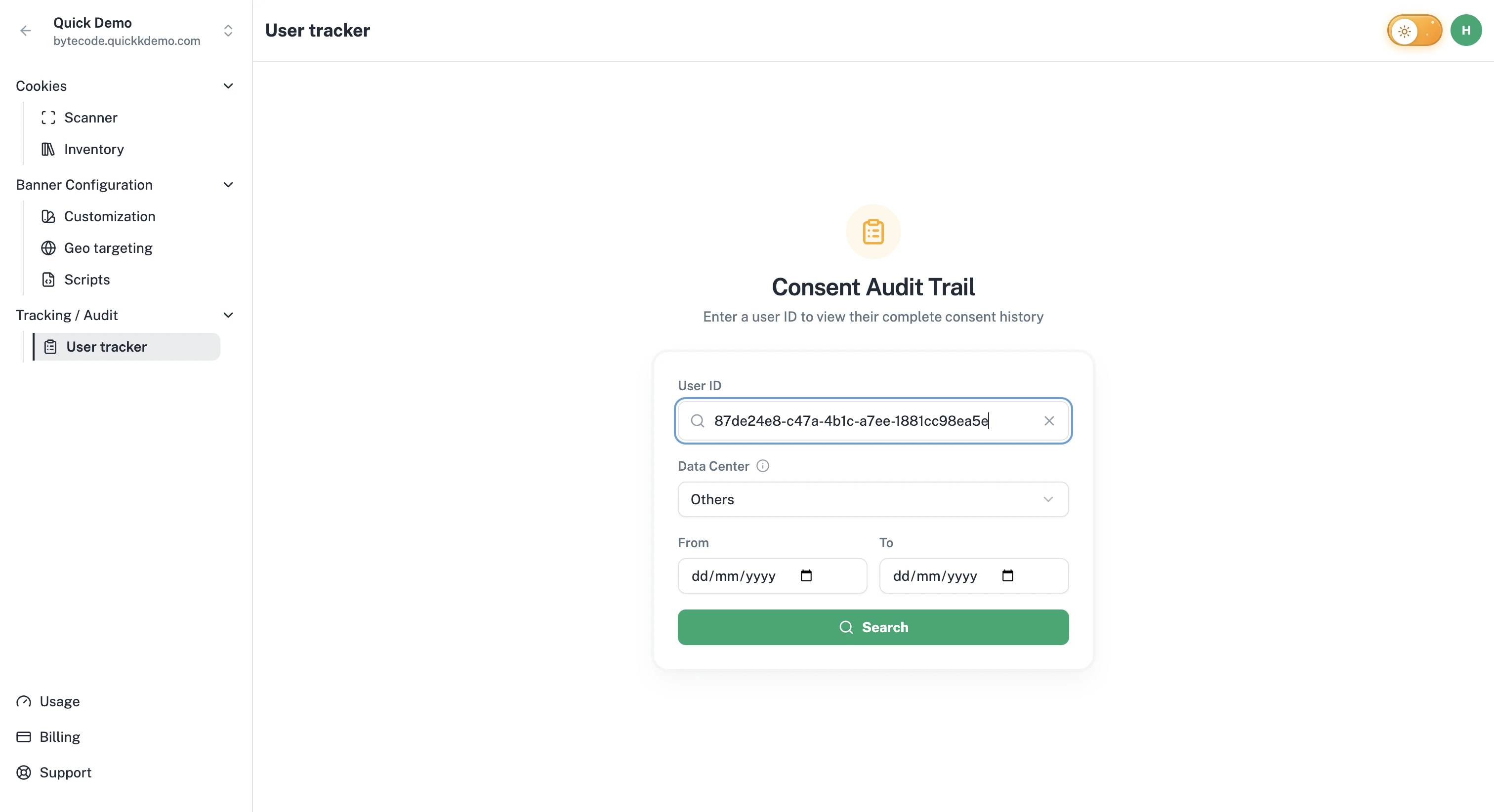
What's in a record
Each record represents a single consent event for one visitor. Records include:
A User ID, which One Privacy assigns to the visitor (an anonymous identifier in their cookie).
The action the visitor took (Accept All, Reject All, Confirm My Choices, and so on).
The page URL they were on when the action happened.
The consent state for each category (Functional, Performance, Targeting): true if accepted, false if not.
The previous consent state so you can see what changed.
The consent source (banner, popup, floating button) and method.
The regulation that applied (for example, GDPR or CCPA).
The visitor's country code at the time.
Both client and server timestamps so you have the full chain of trust.
Permissions
Anyone on your team can search and view consent records.
Owners and Admins can also export records. Exports are emailed to the person requesting them (see Exporting consent records).