Floating cookie settings button
The floating button is a small, persistent icon in the corner of your website. Visitors can click it any time to reopen their cookie preferences and change their mind.
Most laws require some way for visitors to update their consent after the fact. The floating button is the easiest way to give them one.
Open the floating button settings
In your project, open Customization. Click the Floating button tab at the top.
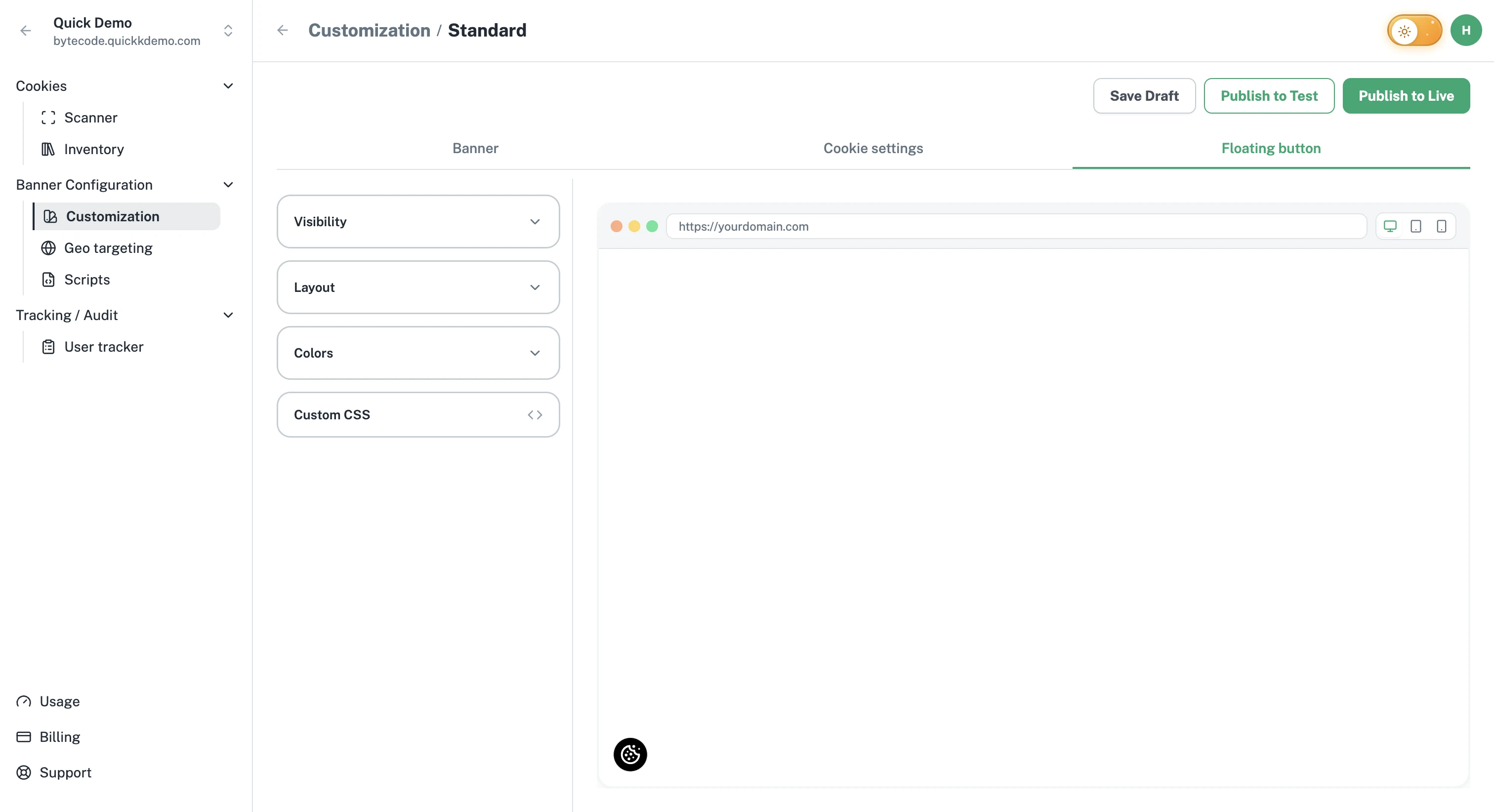
Visibility
Inside the Visibility accordion you'll find a single toggle:
Show Floating Button. Turn the floating button on or off.
We recommend keeping it on for compliance and visitor trust.
Layout
Pick where the button sits.
Floating Button Position. Choose Bottom left or Bottom right. The right corner is the most common choice, especially for sites that have a chat widget on the left.
Colors
Two simple controls:
Floating Button Color. The background of the button.
Cookie Icon Color. The color of the small cookie icon inside it.
Pick something that's visible against your website's background but not so loud that it distracts from your content.
What it does for the visitor
When a visitor clicks the floating button, the same Cookie Settings popup that appears behind Manage Settings opens. They can adjust their consent and confirm their choices.
One Privacy records the change in the Consent Audit, so you have a complete trail.
Prefer a "Cookie Settings" link in your own footer instead of (or alongside) the floating button? Add the op-custom-cookie-settings-trigger class to any element on your site and it opens the same popup. See JavaScript API.