Cookie settings popup
When a visitor clicks Manage Settings on the banner, a popup opens with detailed controls per cookie category. The Cookie settings tab is where you customize that popup.
Open the cookie settings tab
In your project, open Customization. Click the Cookie settings tab at the top.
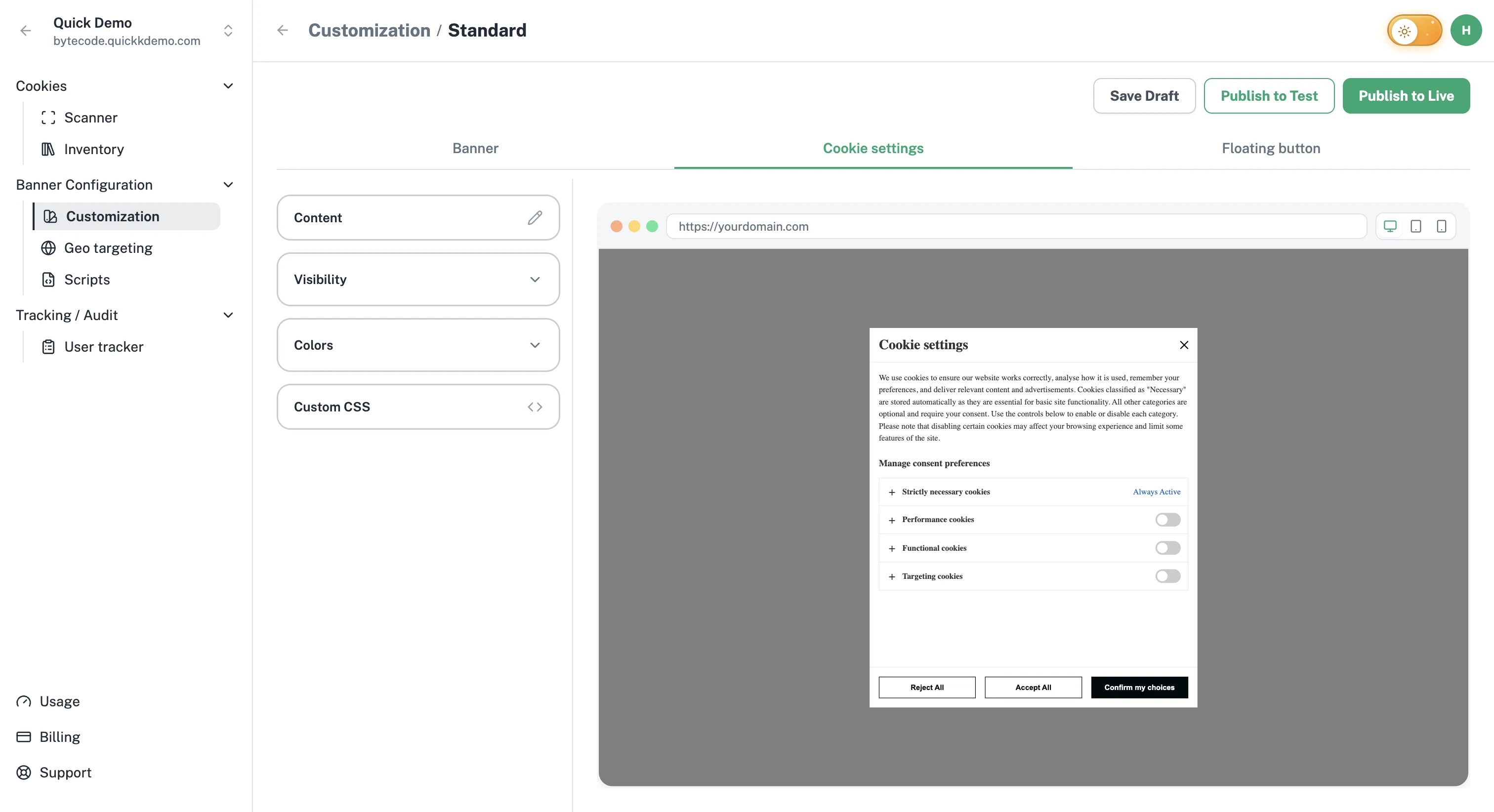
Visibility
Inside the Visibility accordion, you can toggle:
Close Icon. Adds or removes the X in the corner of the popup.
Accept All Button. Lets visitors accept everything from inside the popup.
Policy Link. Shows or hides the cookie policy link in the popup.
The cookie categories themselves (Strictly Necessary, Functional, Performance, Targeting) are always listed; visitors control the optional ones with their own toggles.
Colors
The popup's Colors accordion covers every part of the popup:
Popup surface. Background, Title, Close Icon, and Description colors.
Manage preferences section. Title and the "Always active" label.
Cookie categories. Title, Description, Description Background, the expand icon, and the category toggle in its off, on, and slider states.
Buttons. A color group (Background, Border, Text) for each button in the popup: Accept All, Reject All, and Confirm My Choices (a Do Not Sell banner has a Do Not Sell group instead).
For tips on choosing colors, see Colors and theming.
Content
The popup has more text fields than the main banner. The defaults are professional and ready to use, but you'll likely want to fine-tune the wording to match your voice.
Title. Default: "Cookie settings".
Description. Default: "This tool helps you to select and deactivate various tags / trackers / analysis tools used on this website."
Cookie Categories Title. Default: "Manage consent preferences".
Always Active indication. The label that appears next to Strictly Necessary cookies. Default: "Always active".
Strictly Necessary Cookies title and description. What you tell visitors about cookies that are always on.
Functional Cookies title and description.
Performance Cookies title and description.
Targeting Cookies title and description.
Confirm My Choices, Accept All, Reject All button labels. Tweak the wording to match your tone.
Translations
Like the main banner, every text field in the popup can be translated for each language you support. See Multilingual banners.