Switching workspaces and projects
One Privacy lets you manage many websites from a single account. This page shows how to move between them.
A quick reminder of the structure
Workspace. Your top-level account. Most companies have one. Agencies often have several.
Project. A single website inside a workspace.
You can belong to several workspaces, and each workspace can have several projects.
Switching projects inside the same workspace
When you open a project, the workspace name appears in the top-left of the dashboard, with the current project's domain underneath. Click it to open the switcher.
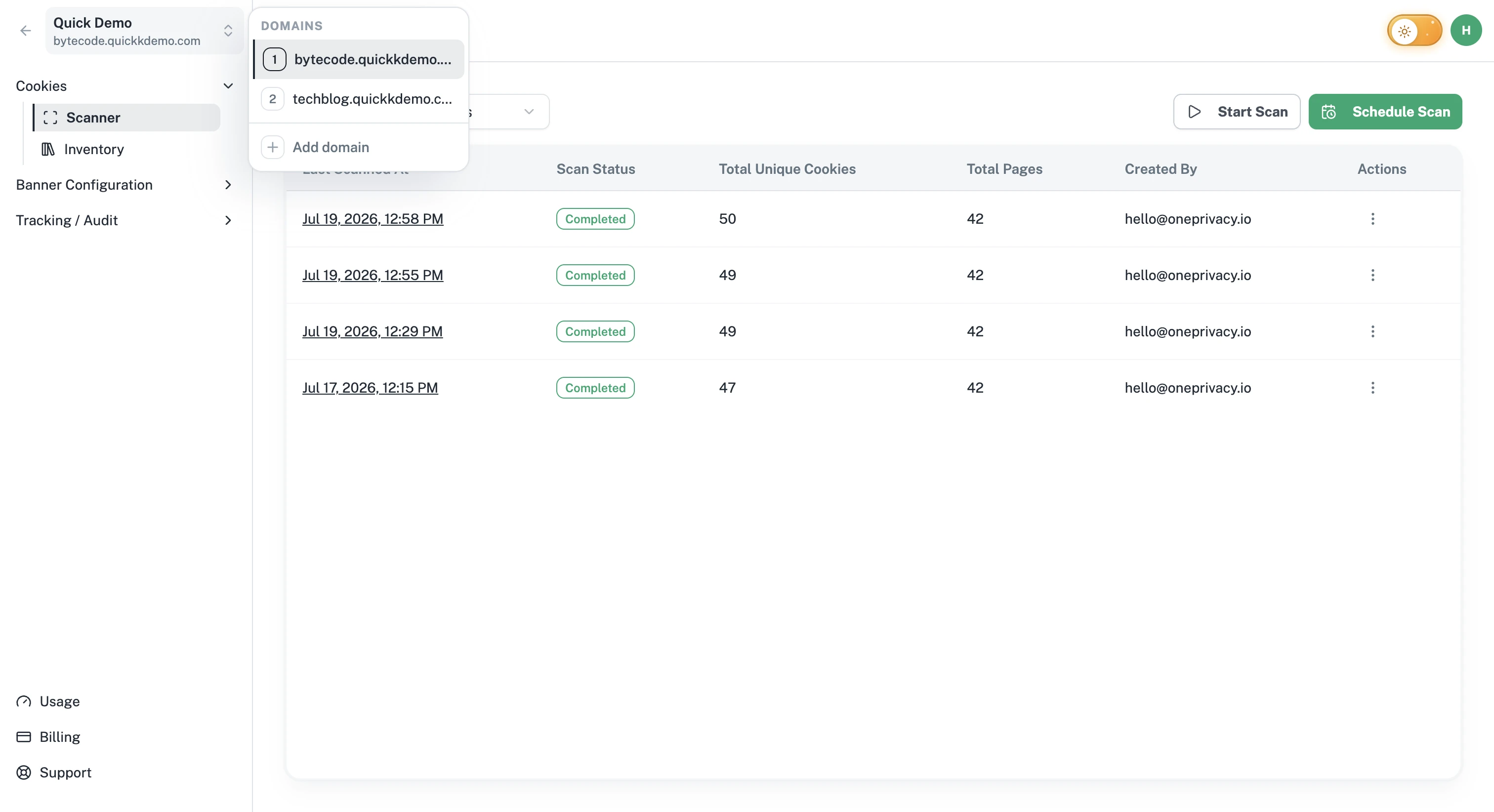
The Domains dropdown lists every project you have access to in the current workspace. Click any of them to switch.
Switching workspaces
In the left sidebar footer, click Go to workspaces page.
You'll see every workspace you belong to. Click one to enter it.
If you've worked here recently, One Privacy remembers and keeps the matching workspace open by default the next time you sign in.
Working across many sites
If you're an agency or run several brands, a tidy setup goes a long way:
One workspace per client or brand. Keeps data, banners, and audit logs neatly apart.
Clear project names. Use the website domain or a memorable nickname so the switcher is easy to scan.
Right-sized teams. Invite only the people who need access to each workspace. See Team and roles.